 Dedicated iOS app
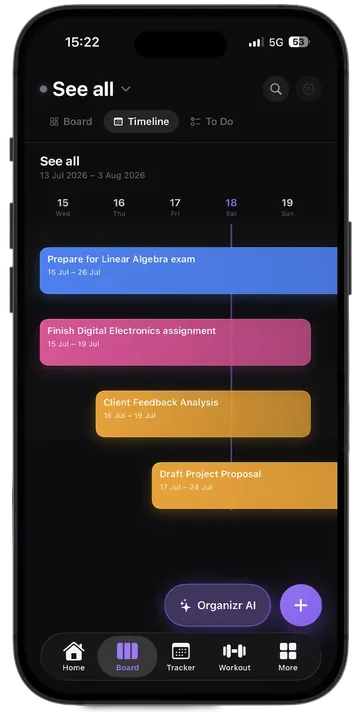
Board
Ideas leave your head and land in a column.
- Kanban, Timeline and To-do
- Separate workspaces for work and life
- Organizr AI built in
 Organizr
Organizr is the suite for personal growth. Habits, training, nutrition, money, goals and projects live in the same space, synced and end-to-end encrypted.
Free to start · no account required
Stop living across 12 different apps.
The ecosystem
Organizr holds everything. On iPhone you can also pick three dedicated apps, lighter and faster, when you want to focus on one thing. Same account, same licence, same data.
The complete suite. 14 sections sharing the same data, on iPhone, Android, Mac and Windows.
Dedicated iOS app
Ideas leave your head and land in a column.
 iOS app + Watch
Every euro, finally in its place.
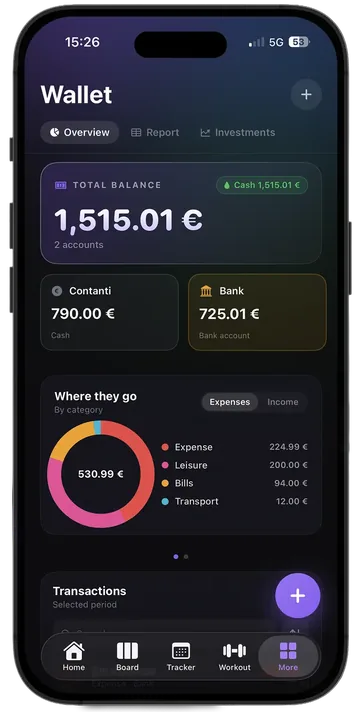
 iOS app + Watch
Train. Log. Beat last time.
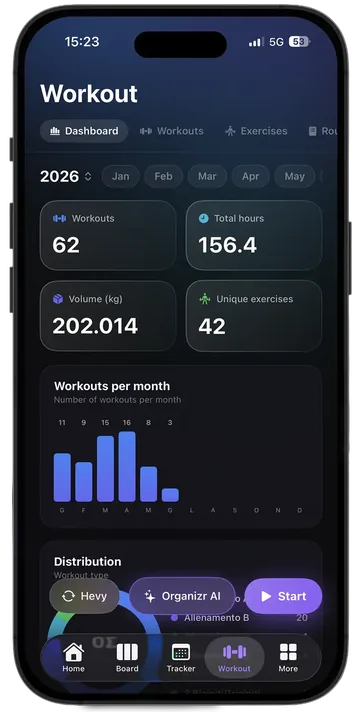
Sign in once and find everything. One iPhone counts as a single device.
One plan unlocks the dedicated apps and the full Organizr.
An expense from your Watch or a set at the gym reaches your desktop too.
Inside Organizr
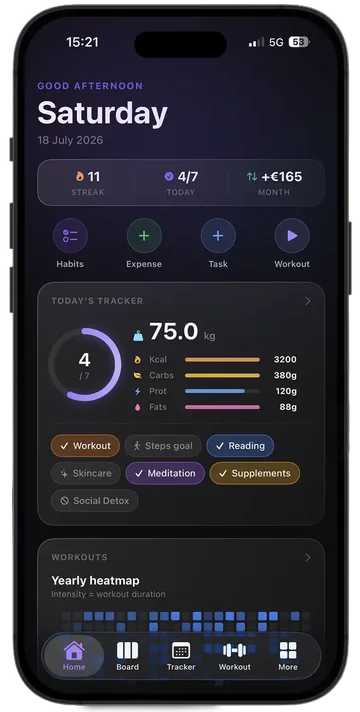
All of them share the same data, so a workout logged on your phone shows up in the tracker, the dashboards and the AI analysis.
Also inside Organizr
Connected
A workout logged on your phone shows up in the tracker, in the dashboards and in the AI analysis. No copy-paste between apps.
It reads what you already track and turns it into answers: routines built on your real lifts, recipes analysed, insight into habits and spending.
50 free credits a month · 300 with Premium
Encrypted on your device. The server only ever sees unreadable data.
Workouts, spending and habits without reaching for your phone.
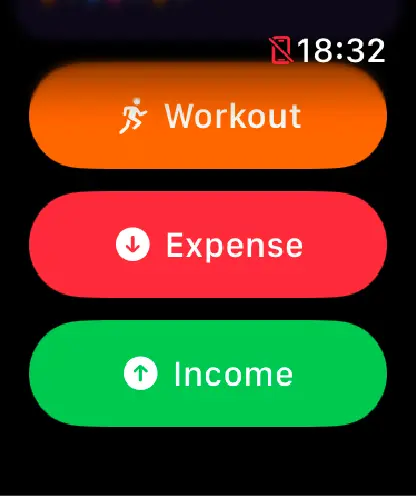
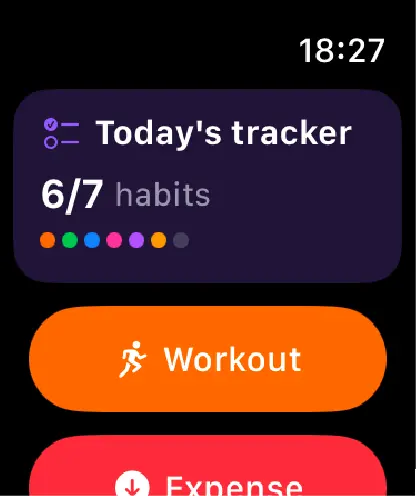
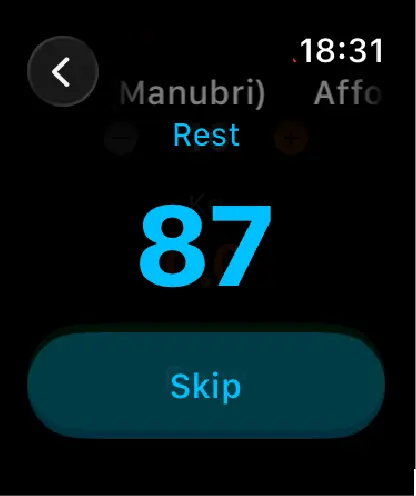
Long enough to matter, short enough to finish.
 HevyWorkout history
 FatSecretMeals and macros
Mac & Windows
One large app with every section, plus Wardrobe and Files, desktop exclusives. Whatever you start on your phone is waiting here.
Pricing
One Premium plan for Organizr, Board, Wallet and Workout. On all your devices.
To start putting things in order.
Forever · no account required
Download freeEverything, no limits.
About €1.50 a month
Go PremiumPay once. It's yours forever.
One-time · −44% for a limited time
Choose LifetimeFAQ
Organizr is the all-in-one suite for personal growth on iPhone, Android, Mac and Windows. It combines a habit tracker, a kanban board, a workout log, a food diary, body measurements, goals, a wallet, subscriptions, recipes, a wardrobe, a reading library and file organization, with every section sharing data with the others.
Organizr is the complete suite with every section. Board, Wallet and Workout are dedicated iOS apps focused on one area, lighter and quicker to use. They share the same account and licence: with sync turned on, what you log in one app also appears in Organizr, on iPhone and on desktop.
No. One Premium plan covers Organizr and every dedicated app, on all your devices.
iPhone, Android, macOS 12 or later and Windows 10 or 11. Apple Watch can log workouts, spending and habits from your wrist.
On your devices. With sync on, data travels end-to-end encrypted: diary entries, completed workouts, meals and Time Analyzr blocks stay encrypted on the server for 90 days from the event date, while Wallet history, Board, subscriptions, measurements, recipes and routines do not expire. Expiry only removes the server copy. The Privacy Policy has the full list.
Yes. Workout imports your Hevy history, so past sessions and load progression are there from day one, and the food diary can connect to FatSecret so meals and macros arrive automatically.
Yes. Organizr Lite is free and needs no account: full tracker, food diary, a board, workout routines, recipes, subscriptions, a wallet account and 50 Organizr AI credits a month.
Download Organizr for free. Your best self starts with one habit.
Organizr
Standalone apps