Accounts and transactions
Add every account you use and record what moves through them. Nothing is connected to your bank unless you type it in yourself.
 Organizr
WALLET
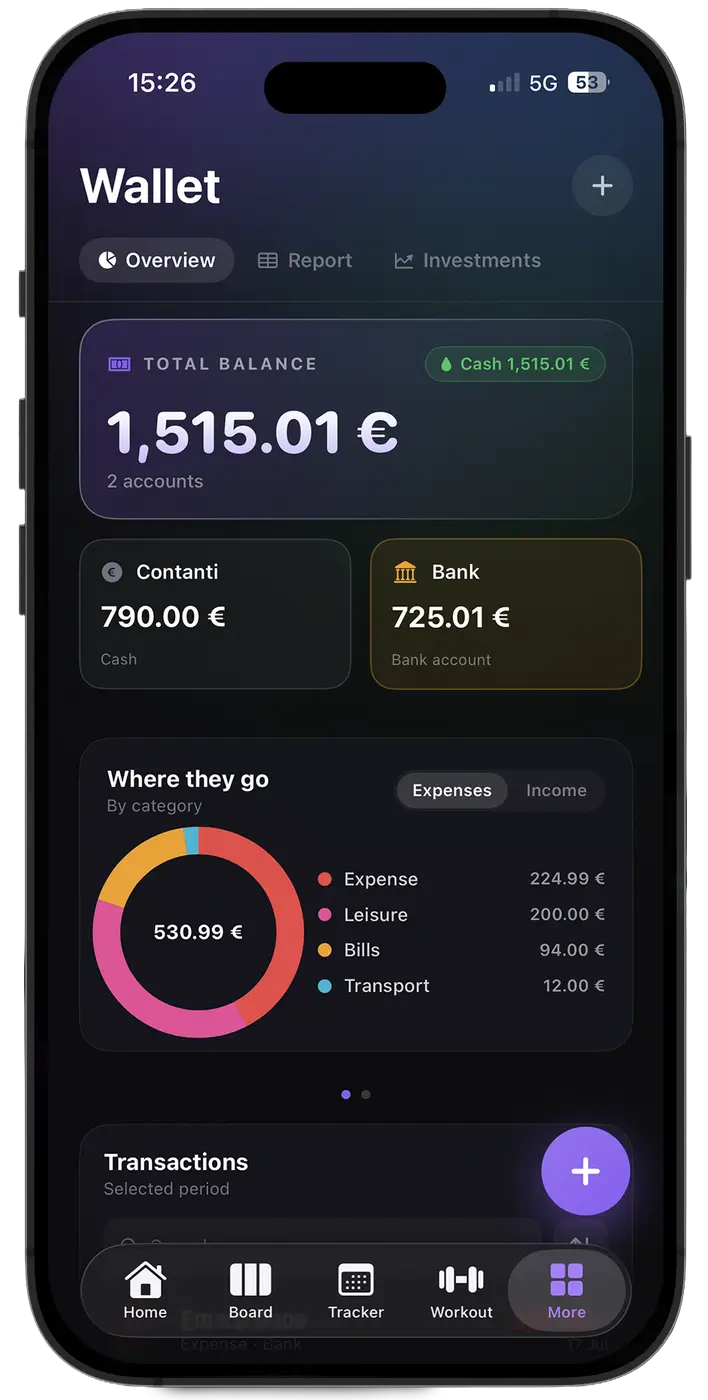
The Wallet section holds your accounts, transactions, investments and subscriptions, and turns them into dashboards that answer one question: what did this month really cost? No bank connection required - you decide what goes in.
ADD WITH AI
No forms to fill in: write or dictate a sentence and Organizr AI turns it into a transaction.
WHAT YOU GET
Money sits in the same app as habits, training and goals, which is usually where the honest explanation for a month is hiding.
Add every account you use and record what moves through them. Nothing is connected to your bank unless you type it in yourself.
Track investments beside the day-to-day accounts, so net position and monthly spending are not two separate stories.
Every subscription with its renewal date and real cost, including the ones split with friends or colleagues. The monthly total stops being a surprise.
Read what you spent and where, over the periods that matter, instead of scrolling a bank statement.
Record a payment from your wrist the moment it happens, then find it in the Wallet with everything else.
Wallet and Subscriptions have no 90-day limit: complete history stays encrypted on the server to keep balances and reports accurate. Data also stays on your devices.
Two ways to use it

A dedicated app with Overview, Report, Investments, Forecast and Subscriptions in the tab bar. Only your money, nothing else.
The same wallet next to habits, workouts, nutrition and goals, on iPhone, Android, Mac and Windows.
FROM THE BLOG
 Habits4 min read
Membership, supplements, kit, the coach you used for two months and the subscriptions you forgot. A full year priced out, and where the waste usually is.
 Training5 min read
What a home setup really costs, what it can and cannot replace, and the training goals where the gym is still worth the trip.
Habits4 min read
A year is too long to stay accountable and a week is too short to change anything. Why a quarter is the unit that fits both training and life.
No. There is no bank connection: you add the accounts and transactions you want to track. That is a deliberate choice, and it is why your financial data can stay on your devices.
Yes. With Quick add with Organizr AI you write or dictate a sentence like “10.50 sandwich cash” and the AI prepares the transaction with amount, description, account, category and date. You check it and confirm before it is saved. It uses Organizr AI credits and reads only your text and the names of your accounts and categories, never balances or history.
Yes. The subscription tracker holds every subscription with its renewal date and cost, including shared ones, and shows what they add up to each month.
Organizr Lite includes a wallet with one account and up to 6 subscriptions. Pro and Lifetime remove those limits and add the advanced dashboards.
Yes. Investments are tracked alongside your accounts and transactions, so your position and your spending are in the same view.
Wallet and Subscriptions have no 90-day limit: complete history stays encrypted on the server to keep balances and reports accurate. Data also stays on your devices.