
Workouts
YTD count
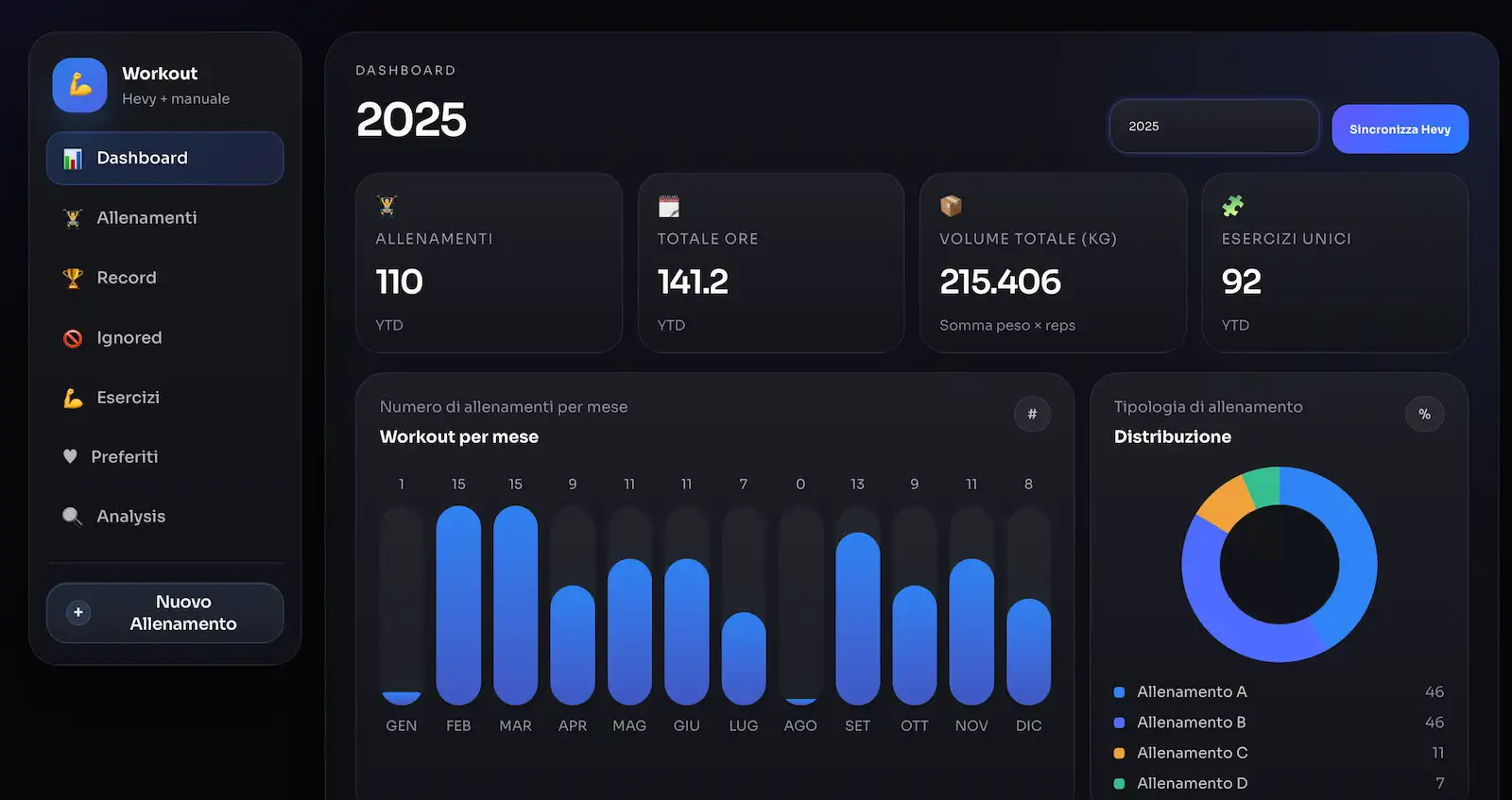
Total sessions in the selected year — sourced from Hevy and manual entries.

WORKOUT
The Workout section of Organizr is a desktop training journal: sync your Hevy history, compare every session with the previous one, and watch load progression on clear charts. All data lives locally on your device.
Workouts
YTD count
Total sessions in the selected year — sourced from Hevy and manual entries.
Total hours
Time under load
Sum of every workout duration, so you can see real time invested in training.
Total volume
kg × reps
Aggregate weight moved across all sets, a single number for yearly workload.
Unique exercises
Variety
How many distinct exercises you covered — useful to spot gaps in routine.
HEVY INTEGRATION
Connect your Hevy account and import the full workout history into Organizr. Routines, exercises, sets, reps, weights and records are pulled and kept aligned with a single Sync Hevy button.

Hevy → Organizr
One-click sync, full history.
COMPARE
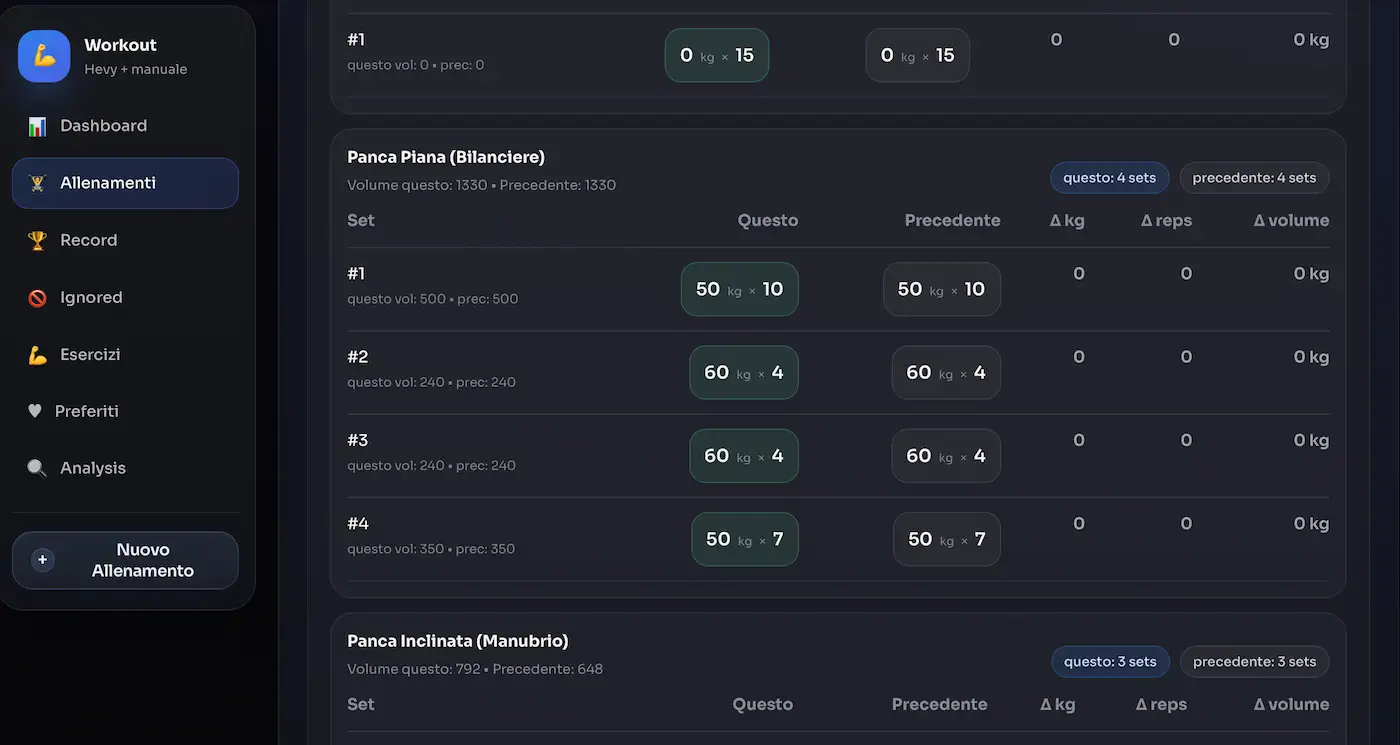
Open any workout and Organizr lines it up next to the previous session of the same routine, set by set. You see exactly what changed: weight, reps, volume.
PROGRESSION
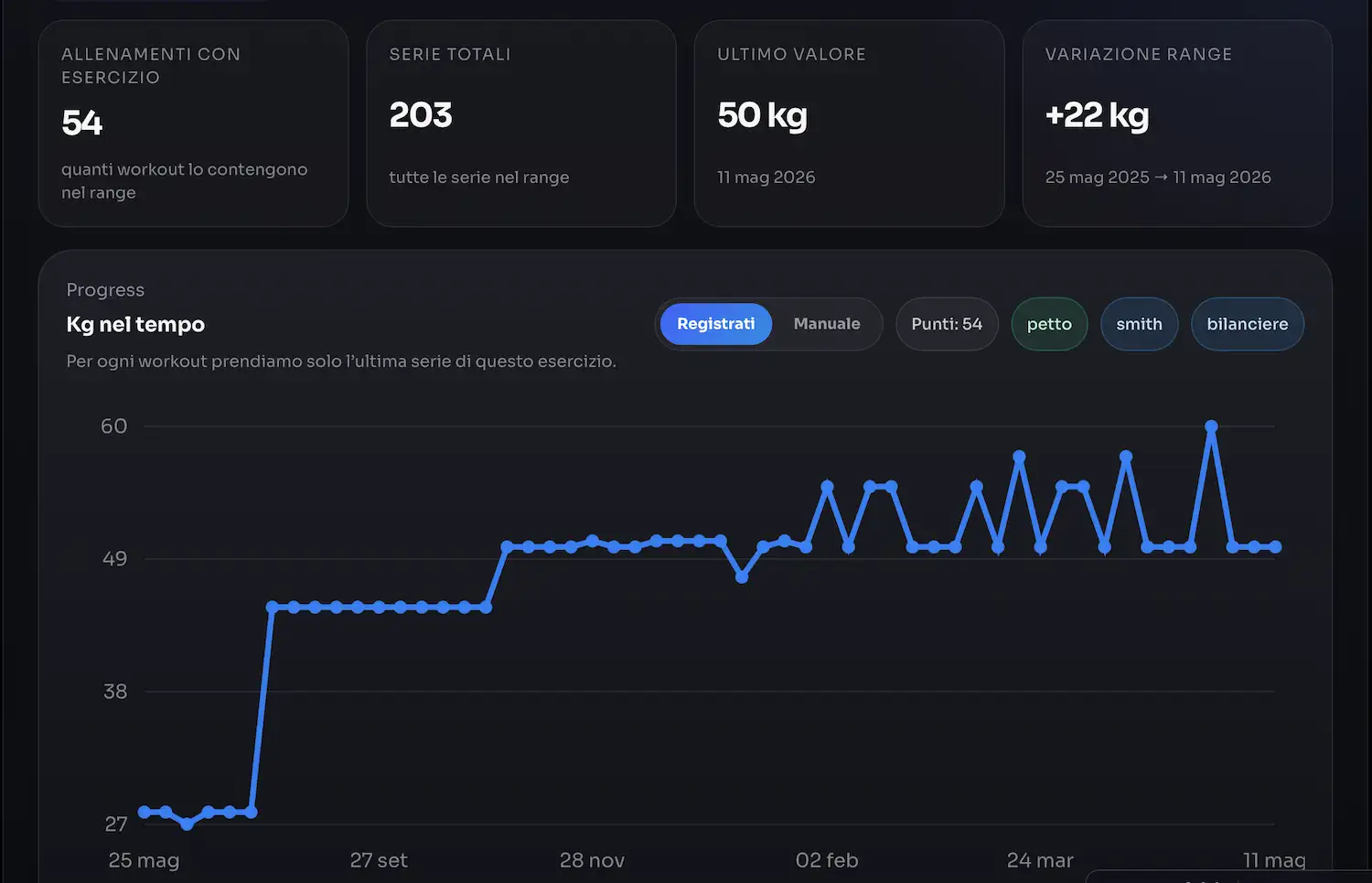
For every exercise Organizr plots how the weight evolved over time. Filter by muscle group, equipment or source — Hevy or manual — and read the trend without exporting anything.
HEATMAP
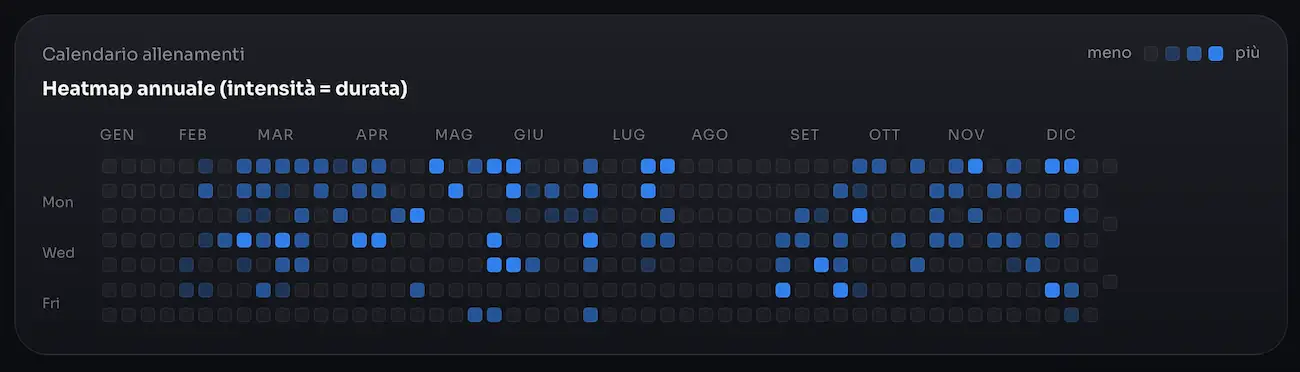
Every workout becomes a cell on the calendar. Darker means a longer session — so you read consistency, gaps and peak weeks without opening a single chart.
50 credits per month
300 credits per month
300 credits per month for 24 months
Install Organizr and connect Hevy in less than a minute.
Download Organizr